Turn Your Home Workspace into a Proper Home Office
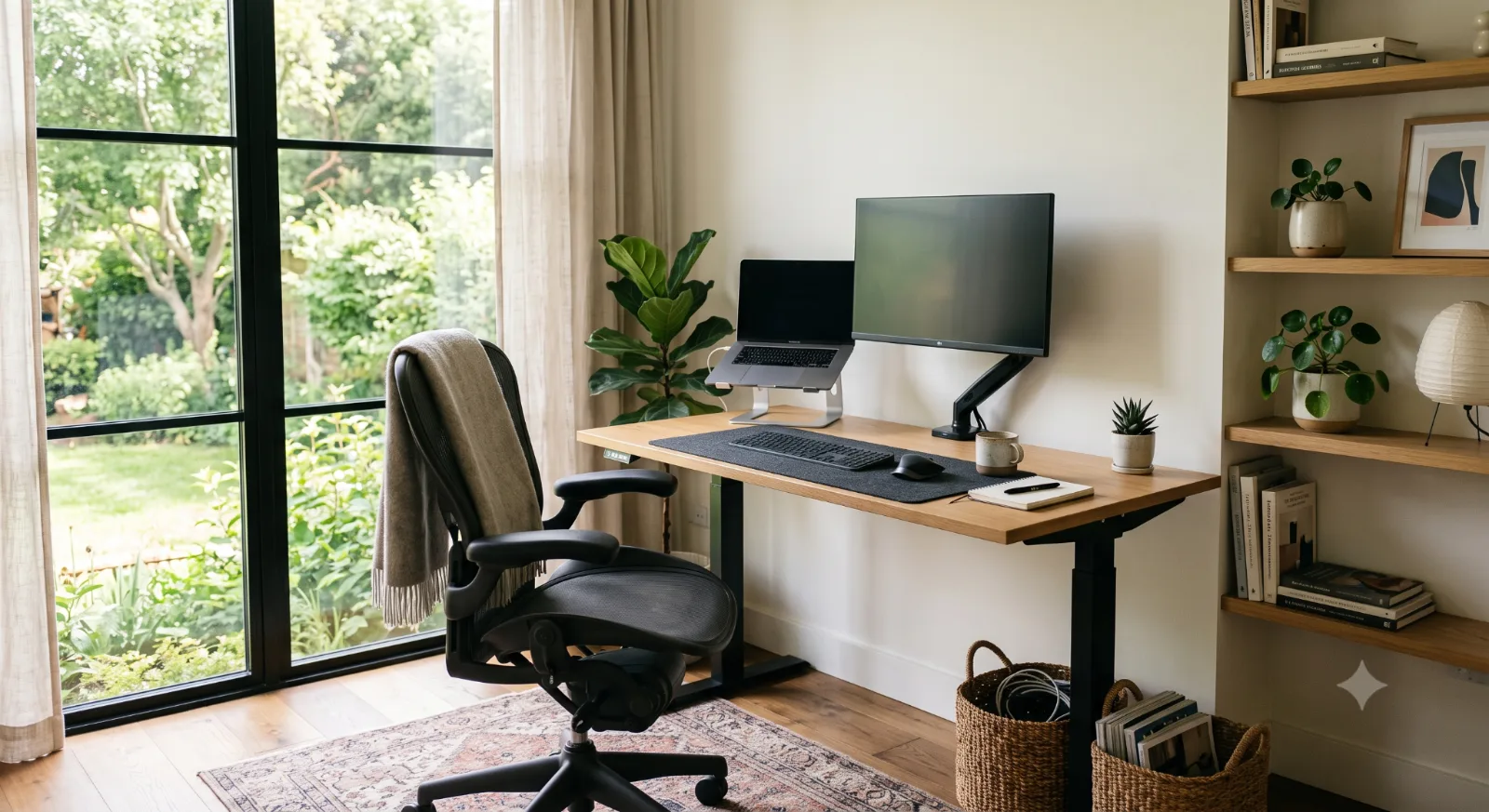
Most people work from home temporarily until things become a bit too cramped. To begin with, you set up your laptop on the kitchen counter or temporarily turn the dining table into a workspace. Later, you may move the setup to the couch with papers on your lap. Working from home is so flexible and seems so convenient. No morning commute, no office dress code, and you are close to the kitchen all the time.
Over time, though, that makeshift setup reveals its hidden costs. At first, the discomfort of physical fatigue is hardly noticeable. But then you start to feel the strain in your back as you sit on a dining chair for hours on end, the ache in your neck as you lean forward to read from your notes, and the fatigue in your eyes as you stare at your computer screen for long periods. And as the hours go by, the space where you are working becomes cluttered with all sorts of artifacts and distractions that eat into your time and make it increasingly difficult to focus on your work.
Converting an ad-hoc space into an optimized workspace or home office need not involve an endless budget, nor even a dedicated room. Establishing a tailored space or home office, designed to support your productivity, involves a series of considered choices, or ‘refinements’, to create an environment optimized to support your work and enhance your life. And, critically, when we create a space optimized to support our focus, our work progressively becomes more structured and efficient and, ultimately, less stressful. So how can you ‘refine’ a space or home office to better support your work?
Evaluate Your Current Setup and Define Your Needs
Before you go out and start purchasing a bunch of new home office furniture, take a look at how you currently work. For a few days, try to track anything that might slow you down or cause you discomfort. Take note of where you feel eye strain throughout the day, and the ache in your shoulders from sitting for long periods. Take note of where you tend to throw your documents and papers.
This could include: a quiet workspace with suitable lighting for video calls; dual monitors for complex data analysis tasks; a suitable surface area with storage for physical notebooks and files.
With this knowledge, you can design a home office based on your work habits that is efficient and productive for you.
Establish Clear Physical and Visual Boundaries
The biggest challenge of making an improvised workspace into a professional home office is the lack of physical and visual boundaries between your workspace and your personal life. When your workspace is in the middle of your living room or bedroom, then work is always right in front of you. This can make it very difficult to relax on the couch while your laptop is open on the dining table in front of you.
If you do not have a dedicated room for your home office with a closing door, then you need to create visual boundaries. Simple design techniques can create visual boundaries in your home. A simple folding room divider can be placed behind your chair to block household activity from view. A simple area rug can also be used to create a visual boundary for your home office within a larger living space such as a dining room. By placing your desk to face a wall or window, you can also create visual boundaries for your home office.
Place your work surface to face a wall or window rather than look out over a room. This doesn’t have to mean a separate room for your home office, though. If you’ve got a corner, then make the most of it. Focus is what you’re after here, so ensure you’ve created a space where you can focus without distraction.
Invest in Ergonomics and Quality Equipment
Focus on Your Health and Invest in High-Quality Office Equipment. Ensure you have plenty of storage space for physical notebooks, folders, and reference materials. If needed, get additional files, and keep several pens on your desk to help you work efficiently and maximize your time.
Start your upgrade with an adjustable ergonomic chair. An ergonomic chair is specifically designed to support the body's natural curves. Pair it with a high-quality desk, such as a corner desk or a wall unit, that is the correct height for you. With your chair and desk set up, make sure your elbows are at a 90-degree angle when you are typing. This will help to reduce strain on your neck and back. Also, make sure your feet are flat on the floor to reduce strain on your back.
Home office upgrades cost money. Budget planning is needed to achieve your goals without compromising on quality. This can also mean taking out online loans to fund the home office setup. This allows you to set up a fully functioning home office immediately, instead of buying all the furniture and equipment piece by piece over the course of a few years.
Optimize Your Lighting and Atmosphere
Dim lighting forces your eyes to work harder, which can lead to headaches and fatigue by the end of the day. Conversely, harsh overhead lighting creates screen glare and forces you to strain your eyes to see.
Place your desk to take advantage of the natural light sources found throughout your home. Workspaces positioned near windows increase the amount of natural light that penetrates your space. Also, by positioning your workspace perpendicular to the window rather than in front of or behind it, you can avoid screen glare and harsh backlighting for video conferencing.
Soft artificial lighting such as warm Ambient and LED lamps completes a home workspace. An ambient lamp placed in a corner of a room stops dark shadows from forming in that space. In addition, ambient lighting softens a home workspace so a worker can stay focused for a longer period of time. While reading or writing, a homework space should include a Task Lamp that will provide the best lighting for the task at hand.
Master Cable Management and Decluttering
An organized workspace is essential for improving focus. In this article, we explained that visible wires and scattered paperwork create visual noise. In addition, they also cause distraction and make it difficult to complete tasks.
For most people, the first step in any home office is dealing with cables. Managing cables can be overwhelming, but there are ways to keep the work surface clear while keeping work organized. Under-desk cable management is a great way to keep your workspace clear and focused. It keeps all cables grouped and keeps them off the floor. Power strips with outlets can then be mounted on the underside of a desk so only one cable runs to a wall outlet.
Adopt a minimal surface policy for your desktop by limiting the number of items on your desk to the absolute minimum required to complete your daily work. The items you require to complete your daily work should be positioned on your desk so that they are within arm’s length. For example, your keyboard, mouse, notepad and water glass could all be positioned on your desk in front of you. Additional items such as extra pens, reference books, and computer hardware could be stored in desk drawers or on nearby shelves.
At the end of every workday, shut down your computer and clear your workspace. This includes a 5-minute process of wiping down surfaces, putting away paperwork, and closing up your workspace for the night. Starting your workday with a clean desk is one way to make sure you have a positive workday.
Create a Shutdown Transition Ritual
The evening commute provides a natural boundary to the workday. When working from home, you need to create an intentional boundary. Many people continue to work long into the night because their workspace is only 5 steps from their home. Is it really necessary to keep working on those emails when you are in your own home?
End work by closing down your computer or putting away materials in your workspace. When you end work, close up your notebooks, put your pens away, and turn off your computer. It is easier to end work when you have a space, like a home office, that is separate from the rest of your home.
Pulling a screen across the desk or covering the monitor of your work area, located in a home living room, will help to signal the end of the workday and that you can now go home and relax. This mental space is required to recharge for the next workday and, hopefully, help you be more productive the next day.
Build a Space That Supports Your Success
Transforming a corner of your home into a highly effective workspace is worth investing in to boost your productivity and work in comfort whilst maintaining a healthy work-life balance. Creating boundaries, investing in the best ergonomic solutions, removing as much clutter as possible, and ensuring the optimal amount of light all combine to create a space that supports your goals and helps you achieve success. Take each step in turn and reap the rewards of a well-set-up home office space.